
TrenchBroom Set-Up
Introduction
This is a quick-start guide on installing the custom TrenchBroom
profile for Nazi Zombies: Portable in order to use its mapping toolset
with the program, as well as a brief instructional on installing
Vluzcan’s Half-Life Tools, the .BSP compiler to
use. Nazi Zombies: Portable relies on Half-Life BSP type
30 as opposed to Quake type 29.
This is not a guide on learning to use TrenchBroom or Quake mapping. Please refer to the Landing page for resource links to these.
⚠️ Trenchbroom version v2024.1 is required for
configuration file compatibility. ⚠️ You can track Game Config
compatibility via TrenchBroom
GitHub issue #4765.
If you are looking for Texture WADs, you may download and use the ones from our asset repository (direct download), provided you agree and adhere to the CC-BY-SA 4.0 licensing.
TrenchBroom Profile
Downloading
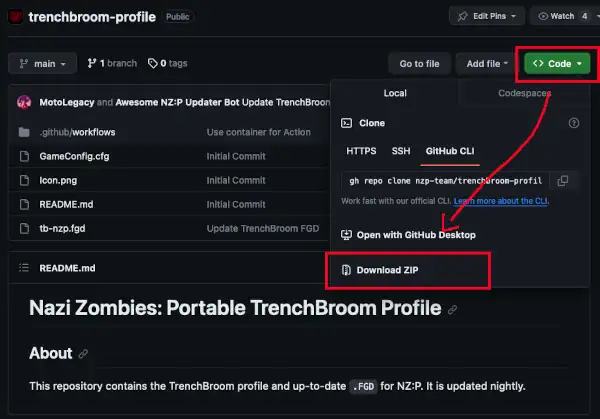
Nazi Zombies: Portable hosts the TrenchBroom profile on GitHub. Navigate to the repository, press the green Code button, followed by pressing Download ZIP. The profile will then be downloaded.
Installation
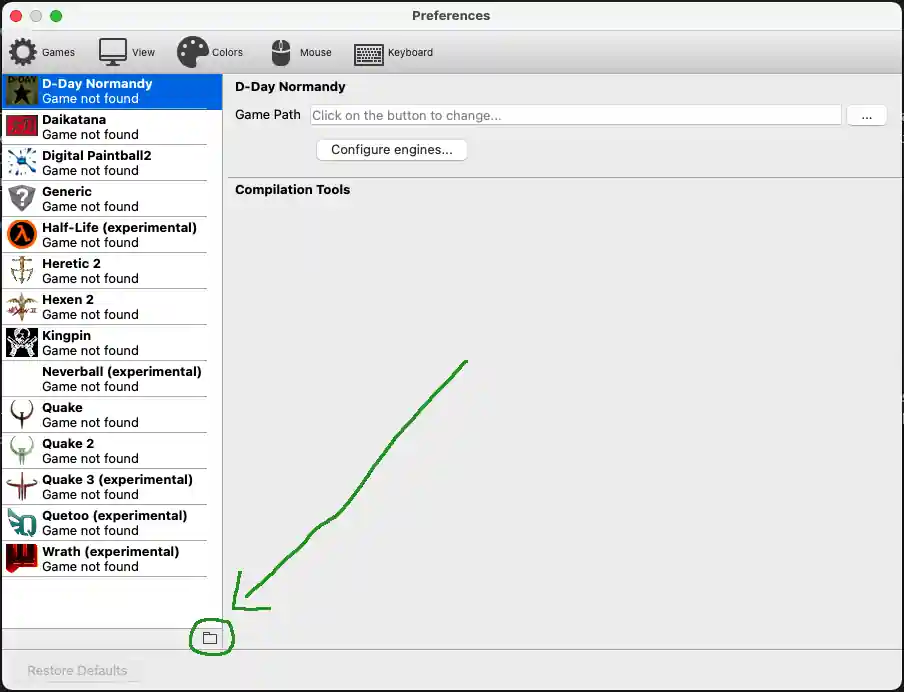
Once the .ZIP archive is downloaded, start TrenchBroom
and locate Preferences. This will bring you to a panel that
displays a list of all currently installed profiles, you will likely
only be presented with the default ones available. Click the folder icon
(📁) that appears on the bottom of the left window pane to open the
<TrenchBroom>/games directory in your file
manager.
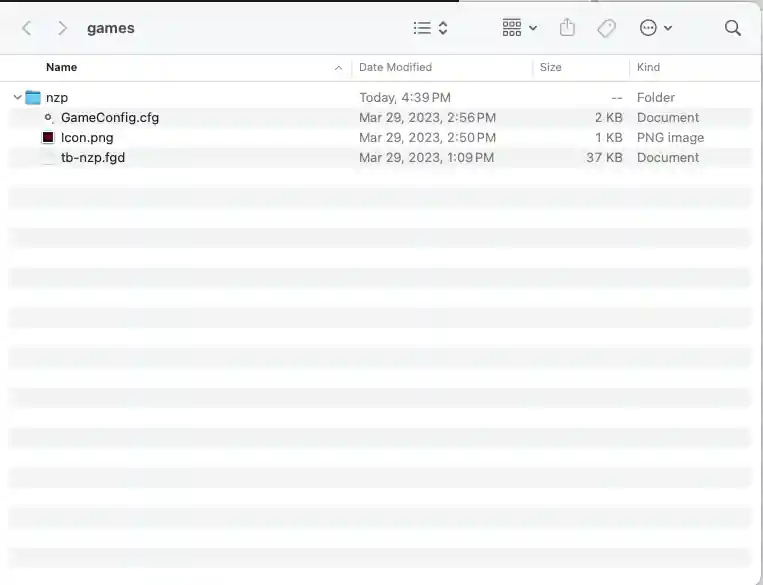
Inside of this directory, create a new one of your choice
(nzp is likely preferred), and extract the TrenchBroom
profile .ZIP contents inside of it. You should be left with
a similar result to the screenshot showcased above – an nzp
directory where the contents contain Icon.png,
tb-nzp.fg, and GameConfig.cfg. Installation
should now be complete, verify that NZP is now present in
TrenchBroom Preferences to confirm correct
installation.
Compiler Set-Up
Toolbox Support
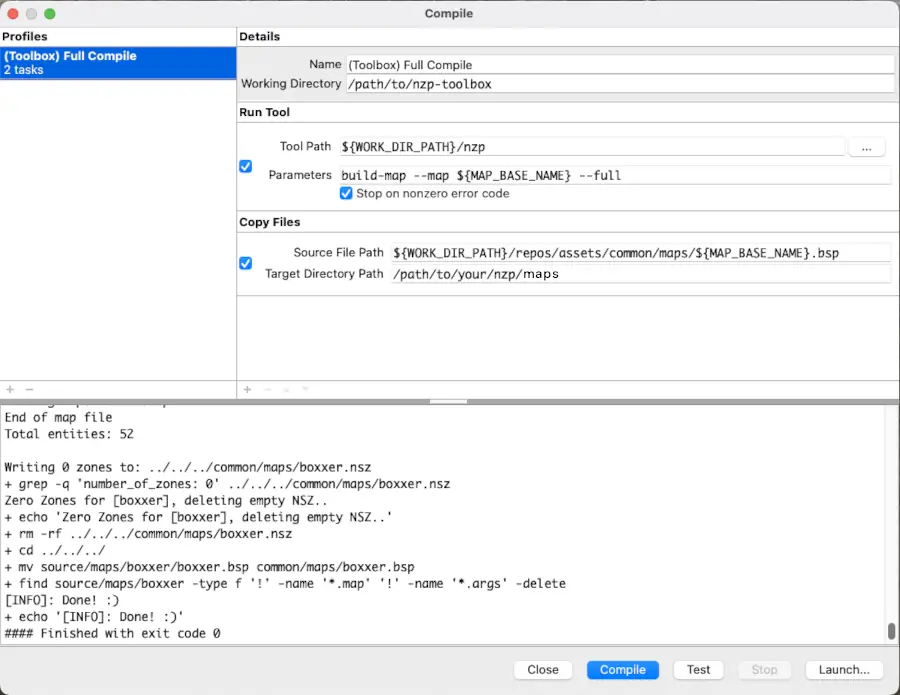
If you are using NZ:P Toolbox, manually setting up map compilers is unnecessary. Toolbox can do everything for you in a single step, including building of Zone files. Below is a resource for manual compilation setup for those unwilling or unable to use Toolbox.
Downloading
The .BSP compiler, Vluzcan’s Half-Life Tools,
can be downloaded for x86 and x86_64 variants of Linux and Windows as
well as in-support macOS versions via Nazi Zombies: Portable’s GitHub fork.
This link, similar to the nightly deployment builds, will always be up
to date and are automatically deployed on-commit.
Installation
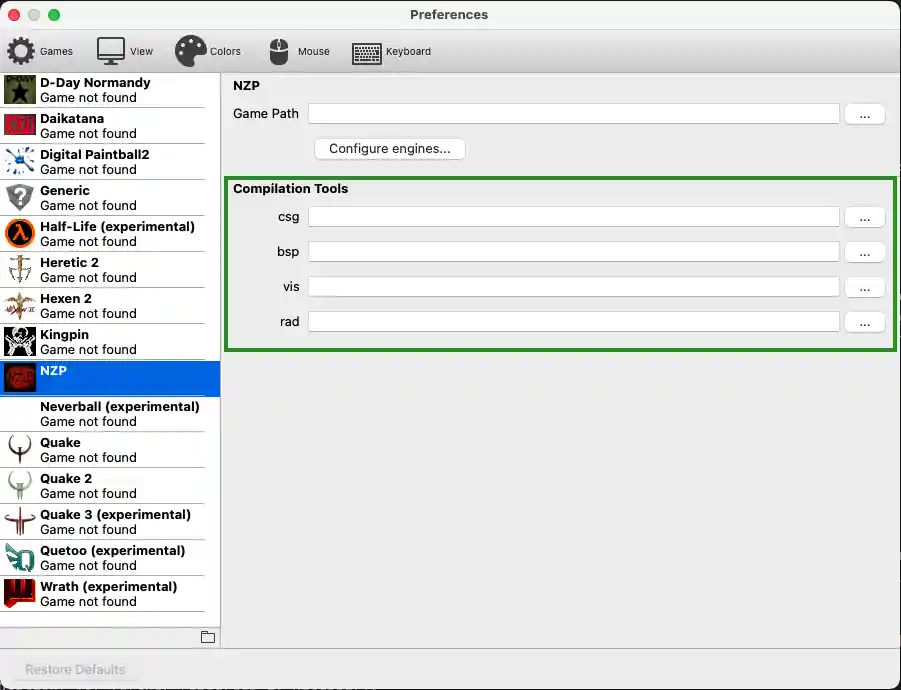
Extract and/or copy your VHLT binaries to an easily identifiable
location. Navigate to TrenchBroom’s Preferences menu and
select NZP from the list. You will be prompted with
four file select dialogues under Compilation Tools. Use these
dialogues to select the binaries you copied to a directory previously
(e.g., link csg with hlcsg.exe).
Once this is done, the compiler paths can be used in setting up build
profiles inside of TrenchBroom, using ${csg},
${bsp}, ${vis}, and ${rad}.
Reminder that this guide was not made to instruct how to set up basic
build profiles for TrenchBroom. Please refer to the Landing page for
further resources if necessary.